Quest Quanum Utilities (QQU)
Quest Quanum® Utilities (QQU) is an application that provides add-on utilities and a browser extension that enable your browser to perform certain functions within eLabs, including DYMO LabelWriter® label printing label printing and
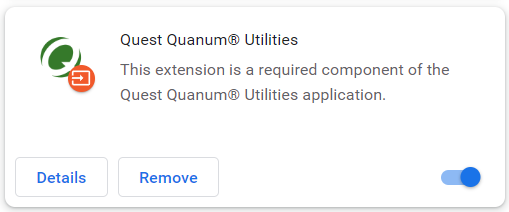
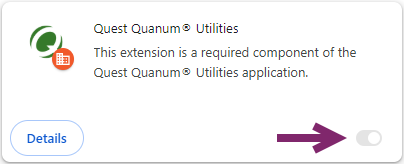
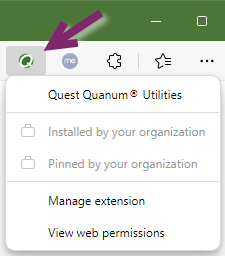
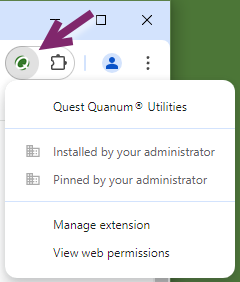
The following images show the QQU extension as it appears in Microsoft Edge™ (Chromium) or Google Chrome™ browsers. (Click an image below to view it full-size. Click it again to collapse it.)

|
Note: You can determine whether the extension is installed and enabled by accessing the browser’s Extension settings and verifying that the indicator appears enabled (Edge |
 , Chrome
  ). If you are experiencing issues with QQU, first confirm that the extension is enabled.
  Obtaining the latest QQU version
The most recent version of the Quest Quanum Utilities (QQU) installation package can be downloaded via the following link:
https://physician.quanum.questdiagnostics.com/printing/QuestQuanumUtilities.exe
• Administrative rights are required to run the installation package.
• A restart is required after the installation package runs to ensure that all installed components are properly registered.
QQU silent installation (for local administrators)
After downloading the latest installation package, you can perform a silent installation of QQU by running the following (case-sensitive) command:
QuestQuanumUtilities.exe -i silent
The following additional parameters can be used with this command, as needed:
|
Parameter |
Description |
|
|---|---|---|
|
‑D$FORCE_EXTENSION_INSTALL$=true |
Sets the required Microsoft Edge or Google Chrome extension to forcibly install and activate. When this command is used, the extension cannot be disabled in either browser; this is by design, because QQU requires both the desktop application and the browser extension to function.
|
|
|
‑D$FORCE_EXTENSION_ICON$=true |
Forces the QQU extension icon to display in the browser’s toolbar.
|
|
|
‑D$DISABLE_AUTO_UPDATE$=true |
Disables QQU’s automatic update mechanism (automatic updates are enabled by default). Note that QQU must be kept up-to-date, and users will receive warnings with instructions to upgrade if their QQU version is too old. Providing the ability to disable auto update does not imply that the QQU deployment is meant to be a one-time installation. |

 Detecting a QQU installation
All of the following elements must be present (with the proper values, as applicable). This logic can be used to define the Detection Check in a software deployment solution, such as Microsoft® Configuration Manager.
1 C:\Program Files (x86)\Quest Quanum Utilities\version.txt is present and its contents are the latest version of QQU, shown in Quest Quanum Utilities (QQU)
2 The registry key HKEY_LOCAL_MACHINE\SOFTWARE\WOW6432Node\Microsoft\Windows\CurrentVersion\Uninstall\Quest Quanum Utilities exists, along with a String Value Name of DisplayVersion with Value Data equal to the latest version of QQU.
3 C:\Program Files (x86)\Quest Quanum Utilities\quest-native-connector-1.0.jar exists.
4 C:\Program Files (x86)\Quest Quanum Utilities\quest-client-utilities-1.0.jar exists.
Optional QQU Detections (if applicable):
• If you deployed with -D$FORCE_EXTENSION_INSTALL$=true, these registry values must be present:
• HKEY_LOCAL_MACHINE\SOFTWARE\Policies\Microsoft\Edge\ExtensionInstallForcelist
String Value Name 1432; Value Data jfpikdoeeilllhnpmoldlagehfapcbpp
• HKEY_LOCAL_MACHINE\SOFTWARE\Policies\Google\Chrome\ExtensionInstallForcelist
String Value Name 1432; Value Data nffeahffadlikbdfgngjocbcicdbikpa
• If you deployed with -D$FORCE_EXTENSION_ICON$=true, these registry values must be present:
• HKEY_LOCAL_MACHINE\SOFTWARE\Policies\Microsoft\Edge\ExtensionSettings\jfpikdoeeilllhnpmoldlagehfapcbpp
String Value Name toolbar_state; Value Data force_shown
• HKEY_LOCAL_MACHINE\SOFTWARE\Policies\Google\Chrome\ExtensionSettings\nffeahffadlikbdfgngjocbcicdbikpa
String Value Name toolbar_pin; Value Data force_pinned
• If you deployed with -D$DISABLE_AUTO_UPDATE$=true, the Scheduled Task named "Quest Utilities Updater" must have a Status of "Disabled".
Native messaging protocol
The Quest Quanum Utilities (QQU) browser extension uses the native messaging protocol, so if your organization restricts the use of native messaging, the following host value must be added to the NativeMessagingAllowlist policy:
com.questdiagnostics.chromenative.labelprinting
NativeMessagingAllowlist references
Microsoft Edge: https://learn.microsoft.com/en-us/deployedge/microsoft-edge-policies#nativemessagingallowlist
Google Chrome: https://chromeenterprise.google/policies/#NativeMessagingAllowlist